How ScrapeOra works
From browsing Connectors to scheduled inventory sync into your store. Every feature, in one place.
Overview
ScrapeOra is product data import and inventory sync software for store owners. It is product data collection without the dev work. You never write code: run a ready-made connector from Connectors (the built-in catalogue included in every plan, nothing is sold there), or paste a link from a supplier catalog you are authorized to use and let ScrapeOra's AI build a connector for you; then schedule it and sync the results straight into your storefront.
The headline flow: give a connector a product listing URL, and ScrapeOra visits every product on it, reads a normalized product record, has AI write the listing from that data, and publishes it to your store, keeping price and stock in sync on a schedule.
The same product library can also be read back out as JSON from your own systems, through a public or key-protected product data API (see the section below).
ScrapeOra is software. It imports product data and keeps your store in sync; it does not sell, ship, or fulfil any products itself, and it never holds or moves your money. When you switch on automatic ordering, ScrapeOra places an order you've already been paid for with your supplier, and the supplier ships it to your customer.
How ScrapeOra treats supplier data
ScrapeOra imports a supplier's full product listing (title, description, photos, variants, SKUs, price and stock) into your store, and keeps it in sync. You're responsible for your right to sell these products and use their images and text; dropshipping suppliers normally grant this to the stores they supply. ScrapeOra never holds or moves money, and only places supplier orders you've paid for.
- Imports the complete listing (title, description, photos, variants, SKUs, price and stock), then keeps price and stock in sync on your schedule.
- You're responsible for your right to sell these products and use their images and text; dropshipping suppliers normally grant this to the stores they supply.
- Connects through a supplier's official API where there is one, and otherwise reads public product pages at a polite rate, honouring robots.txt and each site's terms, never anything behind a login.
- Never holds or moves money. Automatic ordering is opt-in per store, and only a store order you've already been paid for is ever sent to a supplier.
Connectors
Connectors is the catalogue of ready-made supplier connections we curate. It is part of the product, not a marketplace. Every connector in it is included in your plan. For a supplier whose terms allow it, paste a product or listing URL and ScrapeOra's AI builds a connector for that catalog, tests it on the page you gave it, and adds it to My connectors (your plan sets how many new ones a month). If you would rather we add a supplier to the shared catalogue, request it from inside the app (Pro and above); when it is added it appears in Connectors for everyone.
The Overview page surfaces a Suggested connectors shortlist so you can get started in one click.
The import engine (two-phase)
Every listing connector follows one fixed two-phase model. It is intentionally thorough, not shallow. That depth is what makes the product data complete.
- Phase 1, enumerate: open the listing/category URL you provide and collect every product's detail-page URL (following products, never keywords).
- Phase 2, visit: open each product page individually and read the full product record (product URL, title, price, discount, SKU, variants, stock and every other factual data field). ScrapeOra imports a supplier's full product listing (title, description, photos, variants, SKUs, price and stock) into your store, and keeps it in sync. You're responsible for your right to sell these products and use their images and text; dropshipping suppliers normally grant this to the stores they supply. ScrapeOra never holds or moves money, and only places supplier orders you've paid for.
- Output: a normalized product schema, identical across every supported source, so the same data can map to every supported platform.
- It runs as one job with shared concurrency, politeness, retries and a resume cursor; for suppliers whose pages only render with JavaScript, it renders the page in a real browser.
Run flow
When you run a connector, you first choose where the data is headed: just view & export, or push to a connected integration. That choice is remembered so the post-run preview pre-selects the right destination. The collection itself stays generic and can go to another supported platform later.
A run keeps going after you leave the page. The background-jobs panel on the right of the console shows every import, connector build and run you started, with live progress, from whichever page you are on; a finished job slips away on its own, a failed one stays until you dismiss it.
Integrations & supported platforms
Each platform has its own adapter and its own settings. A per-platform mapper turns the normalized product into that platform's inventory format and calls its API correctly. Connect an integration by picking the platform, choosing the category to map into, entering your credentials (stored encrypted, per tenant), and optionally enabling AI.
Supported platforms: Shopify, WooCommerce, BigCommerce, Wix, Squarespace, Magento 2, PrestaShop, Ecwid and Medusa, plus Google Sheets and a generic webhook. Before publishing, products missing a required value (title, price) are filtered out, never published, and listed for you. Use the dry-run preview to see exactly what a push will create, update, skip or delist before it touches your store.
Schedules & inventory sync
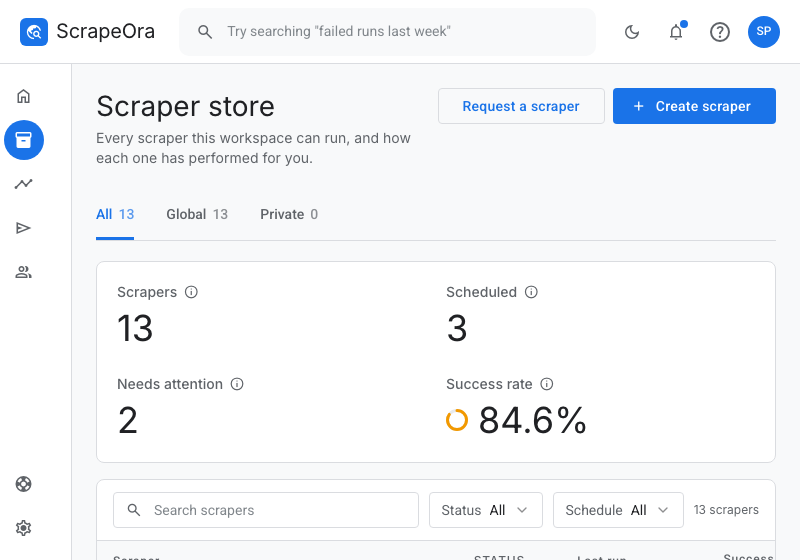
A schedule is a connector + listing URL, bound to one or more integrations, on an interval you choose (e.g. every 6 hours). On every tick it re-reads the product data, maps it, applies your AI-written listing, and updates your store.
Sync is cross-run correct: each product is matched by a stable identity, so a re-import updates the same listing instead of creating a duplicate. Choose a sync mode per integration: additive (add + update, never delist), full sync (also delist products gone from the source), or price & stock only.
AI enrichment (optional, included on paid plans)
AI is optional and included on paid plans. It runs on ScrapeOra's own AI accounts, so there is no key to bring. When connecting an integration you can enable it and write, in plain language, what you want changed about each product. The rewrite is applied on push.
Guardrails: the model writes original text from the collected facts. It never fabricates specs or claims, and it is instructed not to reproduce the supplier's wording; raw price, SKU and stock stay authoritative. Enrichment is cached, so re-pushing the same products doesn't re-run the model.
Supplier data: ScrapeOra imports a supplier's full product listing (title, description, photos, variants, SKUs, price and stock) into your store, and keeps it in sync. You're responsible for your right to sell these products and use their images and text; dropshipping suppliers normally grant this to the stores they supply. ScrapeOra never holds or moves money, and only places supplier orders you've paid for. For every supplier, a push or an export carries the product data plus your AI-written description, and you add your own photos in your store. With AI off, products publish without a description.
Datasets (history & diff)
Every run's normalized products are stored and re-downloadable (JSON / CSV / platform formats). The Datasets view lets you compare two runs of a connector to see exactly what was added, removed, or changed (price, title, availability, stock). The same delta powers scheduled sync.
Logs & notifications
Every push is logged in detail: what ran, what succeeded, what failed, and which products were skipped. Add a notification email per integration to get an email on both success and failure; the super-admin team is alerted on failures so they can step in.
Product data API (for developers)
Everything in your product library can be published as JSON at a stable URL, so another system can read it without anyone writing an importer. A feed is a saved slice of the library: you pick which suppliers it covers and whether out-of-stock products are included, and you get an address that answers a plain GET.
There are two kinds. A public feed is an open URL: its address carries an unguessable segment that belongs to your account, so it is reachable by anyone who has the link and nobody who does not. A private feed is the same feed behind a key, sent as a Bearer token or as the password in Basic auth; without a key it answers 404, so a leaked link reveals nothing about what is behind it. Keys can be named, set to expire, and revoked at any time.
Each record carries the supplier's price, your final price with the increase your pricing rules apply, stock, the supplier listing's address, and three dates — when the product first appeared in that feed, when it last changed, and when the supplier was last read. Prices are worked out per request, so a pricing change is live immediately. Responses carry an ETag and allow cross-origin reads, so a browser app can call a public feed directly.
Feeds are included on every plan, the free one as well. What the plan decides is how many feeds you can publish, how many products one response carries, and whether a feed can be private: Free and Starter publish public feeds; Growth and Agency can put a feed behind a key; Agency adds full read-and-write API tokens for the rest of the REST API. A feed can also carry its own source list, so the products behind it are re-imported on a schedule you choose.
- Set it up in the console under Developers → Product data API → New feed.
- Step by step, with the JSON shape: the guide on publishing product data as a JSON API.
Workspace, Accounts & Help Center
Accounts covers your team (seats + invites), API tokens, notifications and settings. The Help Center is your one stop for support tickets, your submissions, product limits, and requesting a custom connector.
Ready to start?
Browse connectors, connect your store, and schedule your first sync. For step-by-step walkthroughs, see the how-to guides.
Get started, it's free